Models

Employee Shift Scheduling
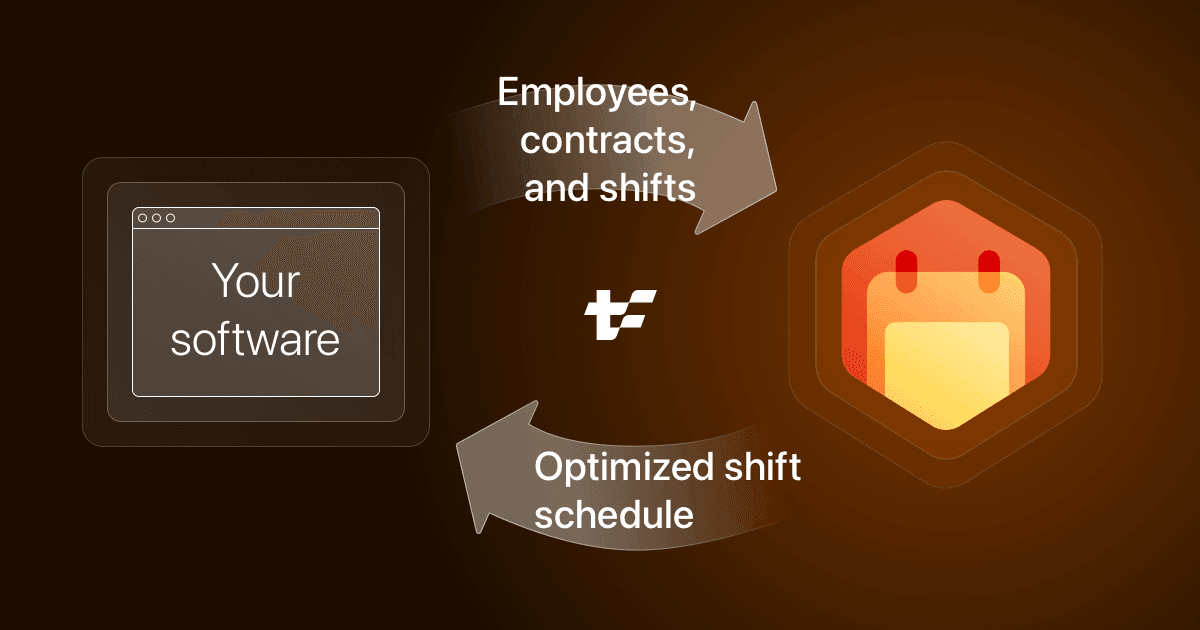
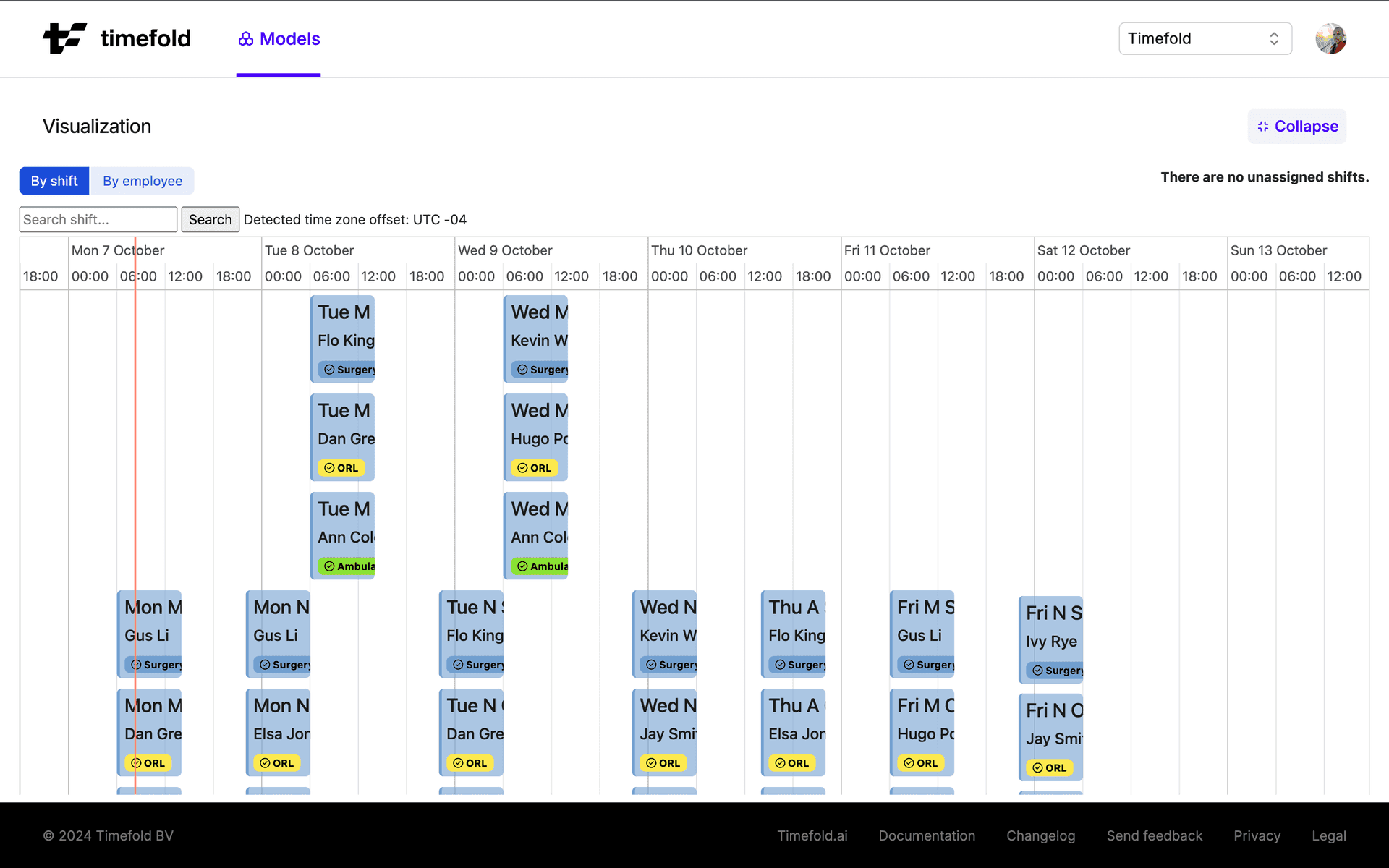
This Timefold Model exposes an API that helps your software assign employees to shifts. Our PlanningAI optimizes for employee availability, cost reduction, compliance, and employee satisfaction.
Service quality
Mandatory and optional shifts
DOCSWhen there aren't enough people to cover all the work, schedule as much priority work as possible.
Skill and risk factors
DOCSDefine skills and risk factors to make sure shifts are assigned to employees with the right qualifications.
Demand-based scheduling
DOCSAssign employees to shifts to meet hourly demand curves and avoid over staffing during quiet periods or under staffing at busy periods.
Alternative shifts
DOCSProvide a range of times when alternative shifts can be scheduled.
Shift assignments
DOCSManage which employees should (preferably) be assigned and not assigned to certain shifts.
Employee satisfaction
Employee contracts
DOCSHonor employee contracts and stay compliant with labor regulations.
Work limits
DOCSManage how many hours employees are contracted to work across fixed periods and rolling windows.
Time off
DOCSManage employees' time off, including making sure they get consecutive days off from work.
Employee availability
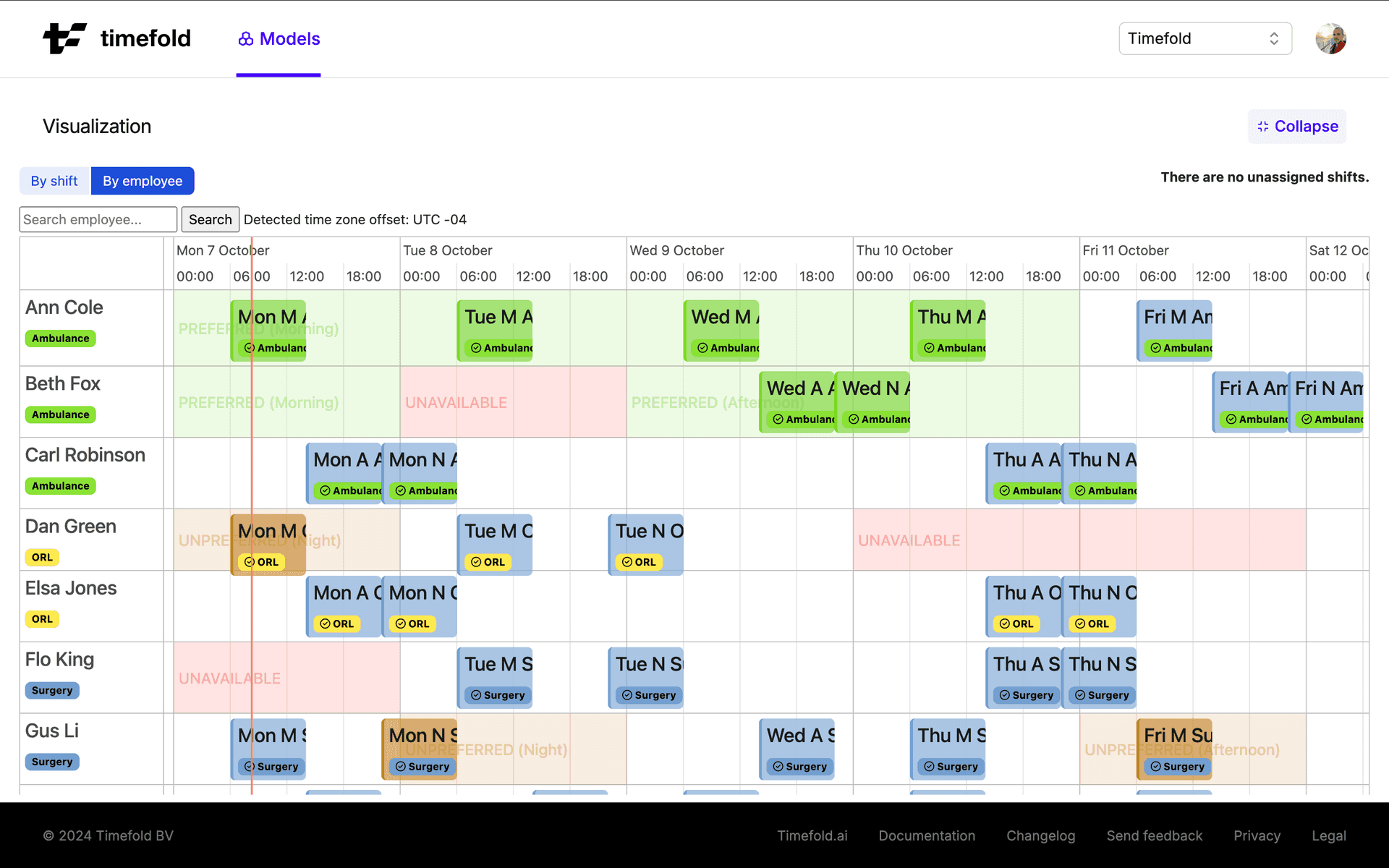
DOCSOnly assign employees to shifts when they are available, and employee's preferred times into consideration when making assignments.
Fairness
DOCSDistribute work fairly across all employees.
Pairing employees
DOCSAssign specific employees to the same shift, for instance, when a trainer needs to train a trainee. Assign specific employees to different shifts from each other to avoid conflicts of interest.
Shift travel and locations
DOCSReduce the amount of time employees spend traveling to their shifts.
Shift type diversity
DOCSLimit the types of different shifts and tasks employees can be assigned.
Shift rotations and patterns
DOCSManage shift rotations, single day and multi-day shift patterns, on-call shifts, and the variation between shift start times.
Shift breaks
DOCSInclude breaks in employees' shifts.
Optimizations
Planning processes
Real-time planning
DOCSRespond to sudden changes with employee availability and assign new employees to shifts, due to sick leave or additional demand, and to minimize the disruption caused by the re-planning process.
Recommendations
DOCSFind the best employee to assign to shifts at short notice.
Manual interventions
DOCSPin shifts when shift assignments must be made to specific employees.
Use cases
Nurse rostering (hospital and healthcare)
DOCSGenerate fair, compliant, and efficient nurse rosters. By balancing coverage requirements, qualifications, and personal preferences, the model ensures quality care while reducing administrative workload.
Retail staff scheduling
DOCSAlign staffing with customer demand while minimizing labor costs and improving employee satisfaction. By combining demand forecasting, contract limits, and availability, it builds schedules that are fair, compliant, and responsive.
Security guard scheduling
DOCSCreate balanced, compliant, and real-time adaptive guard schedules. Automatically plan rotations, site assignments, and coverage, ensuring every post stays protected.
Hospitality staff scheduling
DOCSBuild demand-driven schedules that keep service levels high across every role and outlet. By factoring in occupancy forecasts, seasonal peaks, and staff skills, the model ensures the right person is in the right place at the right time, without over or under-staffing.
Constraints
Alternative shifts
- Required shift group assignment mode not met
Create multiple variants of a shift and assign a specific number of shifts.
Cost management
- Costs per period not in preferred range
Keep the total cost of shift assignments as close to a specified range as possible.
- Costs per period not in required range
Limit the total cost for shift assignments to a specified range.
- Minimize cost per period
Assign shifts so that the cost per period is minimal.
Demand-based scheduling
- Balance shifts worked for minimum hourly demand
Spread the number of shifts above the required minimum hourly demand across the day.
- Shifts worked not in preferred hourly demand range
Avoid assigning more shifts than or fewer shifts than are required by the hourly demand.
- Shifts worked not in required hourly demand range
Do not assign more shifts than are required by hourly demand.
Employee availability
- Employee does not work during available time
Assign employees to shifts during their available work times.
- Employee works during preferred time
Assign employees to shifts during their preferred work times as much as possible.
- Employee works during unavailable time
Do not assign employees to shifts during their unavailable work times.
- Employee works during unpreferred time
Avoid assigning employees to shifts during their unpreferred work times as much as possible.
Fairness
- Balance shift count
Balance the number of shifts assigned evenly between employees as much as possible.
- Balance time worked
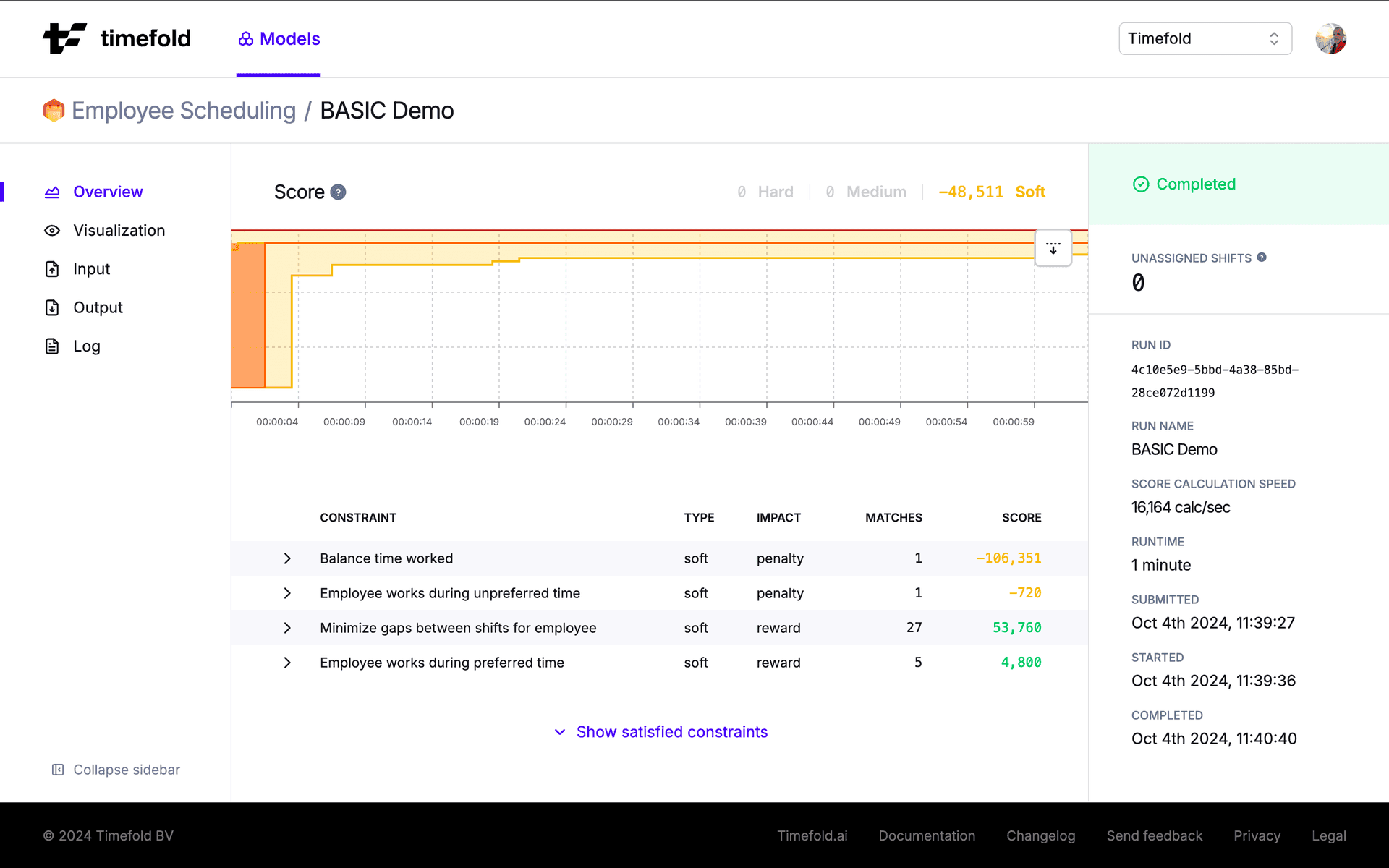
Balance the amount of work time assigned evenly between employees as much as possible.
Pairing employees
- Employee group doesn't work shifts with common tags
Assign employees to shifts together at the same time and place.
- Employee group preferred member missing required member
A preferred (non-required) member of an employee group requires a required member of the group to be present.
- Employee group required member works with other member
A member of an employee group prefers other members of the group to be present.
- Employee group shifts worked per day out of range
An employee group sharing a common tag must not exceed the maximum number of non-overlapping shifts on the same day.
- Employee is not paired with required employee
Assign employees to shifts together when they are required to work together.
- Employee is paired with preferred employee
Assign employees to shifts with the employees they prefer to work with as much as possible.
- Employee is paired with prohibited employee
Do not assign employees on shifts with employees they are prohibited from working with.
- Employee is paired with unpreferred employee
Avoid assigning employee to shifts with unpreferred employees as much as possible.
Replanning
- Employee assignment disrupted on replanning
Minimize the disruption to existing employee assignments on replanning.
- Maximize kept shift tags on incoming disruption for employee
Employee has received shifts that keep the tags of shifts they lost.
- Maximize kept shift tags on scoped disruption for employee
Employee has received shifts in the scope of shifts they lost that keep their tags.
- Minimize incoming disruption per employee
Employee has received a number of shifts not originally assigned to them.
- Minimize outgoing disruption per employee
Employee has lost a number of originally assigned shifts.
- Minimize preferred scoped disruption for employee
Employee has received a number of shifts not originally assigned to them and they don't fully cover shifts that were previously assigned to them.
- Required scoped disruption for employee not met
Employee has received a number of shifts not originally assigned to them and that are not within the scope of any other shifts.
Resource-limited planning
- Keep employee activation ratio
Activate employees to match the desired employee cost group ratio as closely as possible.
- Maximize activated employee saturation
Assign employees more shifts to maximize utilization.
- Minimize activated employees
Minimize the number of employees and reward activated employee saturation.
- Unassigned mandatory shift
Assign as many mandatory shifts as possible.
- Unassigned optional shift
Assign as many optional shifts as possible.
Shift assignments
- Concurrent shifts worked not in required range
Limit the number of concurrent shifts to the specified maximum.
- Preferred employee assigned
Assign shifts' preferred employees as much as possible.
- Prohibited employee assigned
Do not assign employees who are prohibited from working specific shifts to those shifts.
- Shifts worked per period not in preferred range
Keep the number of assigned shifts to a specified range per period as much as possible.
- Shifts worked per period not in required range
Do not exceed the specified maxmium number of assigned shifts per period.
- Unpreferred employee assigned
Avoid assigning employees who are unpreferred on specific shifts to those shifts as much as possible.
Shift rotations and patterns
- Custom rotation duration in days exceeds required maximum for employee
Avoid assigning employees to shift rotations that exceed configured rotation length maximum.
- Custom rotation duration in days not in preferred range for employee
Avoid assigning employees to shift rotations that violate configured rotation length range.
- Employee does not have preferred daily shift pairing
When a shift is part of a daily pairing, avoid assigning one shift from the pairing without the other.
- Employee does not have required daily shift pairing
When a shift is part of a daily pairing, do not assign one shift from the pairing without the other.
- Employee does not work required multi day shift sequence pattern
Do not assign shifts that break the mult-day shift sequence patterns.
- Employee does not work required single day shift sequence pattern
Do not assign shifts that break the single day shift sequence patterns.
- Employee has prohibited daily shift pairing
Do not assign prohibited daily shift pairings to employees.
- Employee has unpreferred daily shift pairing
When a shift is part of a daily pairing, avoid assigning one shift from the pairing with the other.
- Employee works preferred multi day shift sequence pattern
Assign employees to preferred multi-day shift sequence patterns as much as possible.
- Employee works preferred single day shift sequence pattern
Assign employees to preferred single-day shift sequence patterns as much as possible.
- Employee works prohibited multi day shift sequence pattern
Do not assign employees to prohibited multi-day shift sequence patterns.
- Employee works prohibited single day shift sequence pattern
Do not assign employees to prohibited single-day shift sequence patterns.
- Employee works unpreferred multi day shift sequence pattern
Avoid assigning employees to unpreferred multi-day shift sequence patterns as much as possible.
- Employee works unpreferred single day shift sequence pattern
Avoid assigning employees to unpreferred single-day shift sequence patterns as much as possible.
- Minimize gaps between shifts for employee
Keep the gap between split shifts as short as possible.
- Minutes between shifts not in preferred range for employee
Keep the number of minutes between shifts in the range of allowed minutes as much as possible.
- Minutes between shifts not in required range for employee
Keep the number of minutes between shifts in the range of allowed minutes.
- Overlapping shift
Allow specific shifts to overlap.
- Preferred shift rotation not met for employee
Avoid assigning employees to shift rotations that do not match the shift rotation rules.
- Required shift rotation not met for employee
Do not assign employees to shift rotations that do not match the shift rotation rules.
- Shift start time difference in minutes per period not in preferred range for employee
Avoid assigning employees to shifts if the difference between start times is greater than the limit specified.
- Shift start time difference in minutes per period not in required range for employee
Do not assign employees to shifts if the difference between start times is greater than the limit specified.
Shift travel and locations
- Locations worked per period not in preferred range for employee
Avoid assigning employees to work in more locations than their preferred maximum.
- Locations worked per period not in required range for employee
Do not assign employees to work in more locations than their required maximum.
- Maximum employee to shift travel distance exceeded
Do not assign employees to shifts that require the employee to travel further than the maximum travel distance specified in their contracts.
- Minimize travel distance
Minimize the distance employees travel to start their shifts.
- Minimum time between shifts including travel not met
Do not assign employees to shifts in different locations when the time between shifts is less than the limit specified.
Shift type diversity
- Employee works shift with non-matching required shift tags
Do not assign employees to shifts without required shift tags.
- Employee works shift with preferred shift tags
Assign employees to shifts with preferred shift tags as much as possible.
- Shift types worked per period not in preferred range for employee
Avoid assigning more or less shifts types to employees than specified.
- Shift types worked per period not in required range for employee
Do not assign more or less shifts types to employees than specified.
- Unique tags per period not in preferred limit
Avoid using more unique tags to assign shifts to employees than the specified limit.
- Unique tags per period not in preferred range
Avoid staffing more unique tags across all shifts per period than the specified limit.
- Unique tags per period not in required limit
Do not use more unique tags to assign shifts to employees than the specified limit.
- Unique tags per period not in required range
Do not staff more unique tags across all shifts per period than the specified limit.
Skills and risk factors
- Employee has prohibited risk factor associated with shift
Do not assign employees with risk factors to shifts that would expose the employee to those risks.
- Preferred skill missing
Avoid assigning shifts to employees without the preferred skills.
- Required skill missing
Do not assign shifts to employees who do not have the required skills.
Time off
- Consecutive days off in rolling window not in preferred range for employee
Give employees the preferred number of consecutive days off in a rolling window if posible.
- Consecutive days off in rolling window not in required range for employee
Make sure employees have the required number of consecutive days off in a rolling window.
- Consecutive days off per period not in preferred range for employee
Give employees the preferred number of consecutive days off per period if posible.
- Consecutive days off per period not in required range for employee
Make sure employees have the required number of consecutive days off in per period.
- Consecutive minutes off in rolling window not in preferred range for employee
Give employees the preferred number of consecutive minutes off in a rolling window if posible.
- Consecutive minutes off in rolling window not in required range for employee
Make sure employees have the required number of consecutive minutes off in a rolling window.
- Consecutive weekends off per period not in preferred range for employee
Make sure employees have the preferred number of consecutive weekends off per period.
- Consecutive weekends off per period not in required range for employee
Make sure employees have the required number of consecutive weekends off per period.
- Days off per period not in preferred range for employee
Give employees the preferred number of days off per period if posible.
- Days off per period not in required range for employee
Make sure employees have the required number of days off in per period.
- Employee has prohibited shift near day off request
Do not assign a prohibited shift before or after a day off request.
- Employee has unpreferred shift near day off request
Avoid assigning an unpreferred shift before or after a day off request if possible.
Work limits
- Consecutive days worked not in preferred range for employee
Avoid assigning shifts on more consecutive days to employees than the specified maximum or fewer consecutive days than the specified minimum.
- Consecutive days worked not in required range for employee
Do not assign shifts on more consecutive days to employees than the specified maximum.
- Consecutive shifts worked not in preferred range for employee
Prevent employees from working too many consecutive shifts.
- Consecutive shifts worked not in required range for employee
Prevent employees from working too many consecutive shifts.
- Consecutive weekends worked per period not in preferred range for employee
Avoid assigning more consecutive weekends per period to employees than the specified limit.
- Consecutive weekends worked per period not in required range for employee
Do not assign more consecutive weekends per period to employees than the specified limit.
- Days worked in rolling window not in preferred range for employee
Avoid assigning shifts on more days in a rolling window than the specified limit.
- Days worked in rolling window not in required range for employee
Do not assign shifts on more days in a rolling window than the specified limit.
- Days worked per period not in preferred range for employee
Avoid assigning shifts on more days per period than the specified limit.
- Days worked per period not in required range for employee
Do not assign shifts on more days per period than the specified limit.
- Employee works compact sequence
Reward consistency of sequence category on consecutive days.
- Minutes logged per period not in preferred range for employee
Avoid assigning minutes logged to employees that are above the maximum or below the minimum limits.
- Minutes logged per period not in required range for employee
Do not assign minutes logged to employees that are above the maximum or below the minimum limits.
- Minutes worked in rolling window not in preferred range for employee
Avoid assigning more minutes worked in a rolling window to employees than the specified limit.
- Minutes worked in rolling window not in required range for employee
Do not assign more minutes worked in a rolling window to employees than the specified limit.
- Minutes worked per period not in preferred range for employee
Avoid assigning more minutes worked per period to employees than the specified limit.
- Minutes worked per period not in required range for employee
Do not assign more minutes worked per period to employees than the specified limit.
- Preferred minimum time between different sequences not met for employee
Keep the number of minutes between different sequences of shifts in the allowed time limit.
- Preferred sequence start day met for employee
Keep the configured sequence start within allowed start days as much as possible.
- Required minimum time between different sequences not met for employee
Keep the number of minutes between different sequences of shifts in the allowed time limit.
- Required sequence start day not met for employee
Keep the configured sequence start within allowed start days.
- Sequence ends on allowed sequence start day for employee
Avoid ending the sequence on one of the sequence start days.
- Shifts worked in rolling window not in preferred range for employee
Avoid assigning more shifts in a rolling window to employees than the specified limit.
- Shifts worked in rolling window not in required range for employee
Do not assign more shifts in a rolling window to employees than that specified limit.
- Shifts worked per period not in preferred range for employee
Minimize the number of shifts assigned to employees outside the range of their preferred shifts.
- Shifts worked per period not in required range for employee
Do not exceed the specified maximium number of assigned shifts per period for an employee.
- Time off after consecutive shifts worked not in preferred range for employee
Ensure employees have their preferred time off after working sequences of shifts.
- Time off after consecutive shifts worked not in required range for employee
Ensure employees have their required time off after working sequences of shifts.
- Weekend minutes worked per period not in preferred range for employee
Avoid assigning more weekend minutes worked per period to employees than the specified limit.
- Weekend minutes worked per period not in required range for employee
Do not assign more weekend minutes worked per period to employees than the specified limit.
- Weekends worked in rolling window not in preferred range for employee
Avoid assigning more weekends in a rolling window to employees than the specified limit.
- Weekends worked in rolling window not in required range for employee
Do not assign more weekends in a rolling window to employees than the specified limit.
- Weekends worked per period not in preferred range for employee
Avoid assigning more weekends per period to employees than the specified limit.
- Weekends worked per period not in required range for employee
Do not assign more weekends per period to employees than the specified limit.
Interested in learning more about how this model can help solve your optimization challenges? Talk to an expert.