Models

Field Service Routing
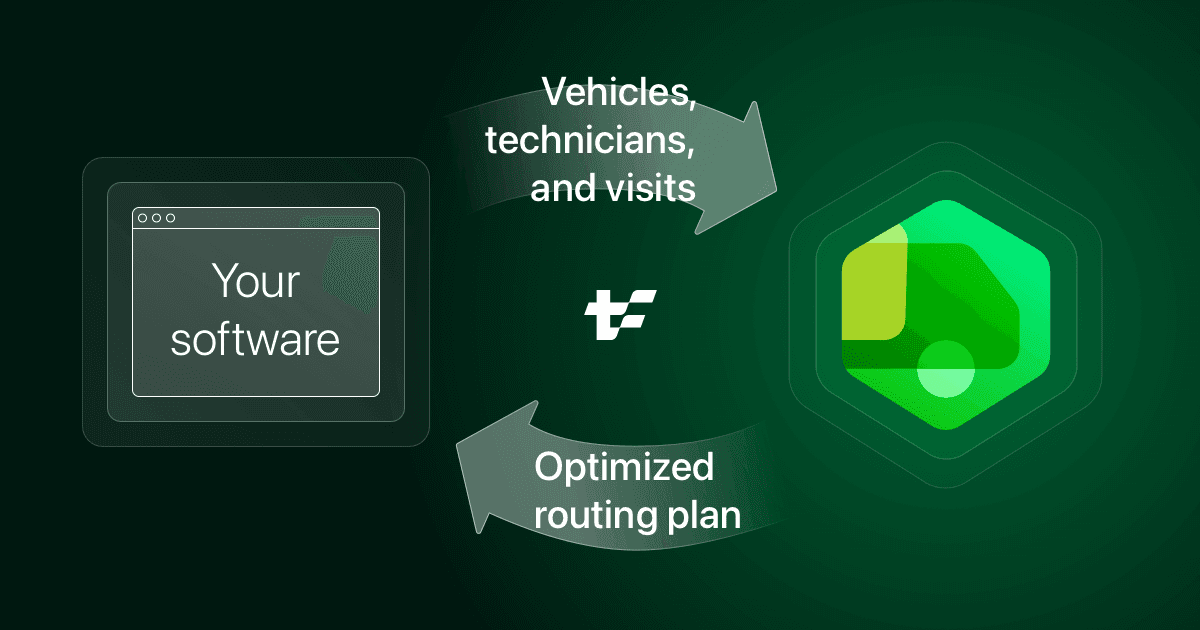
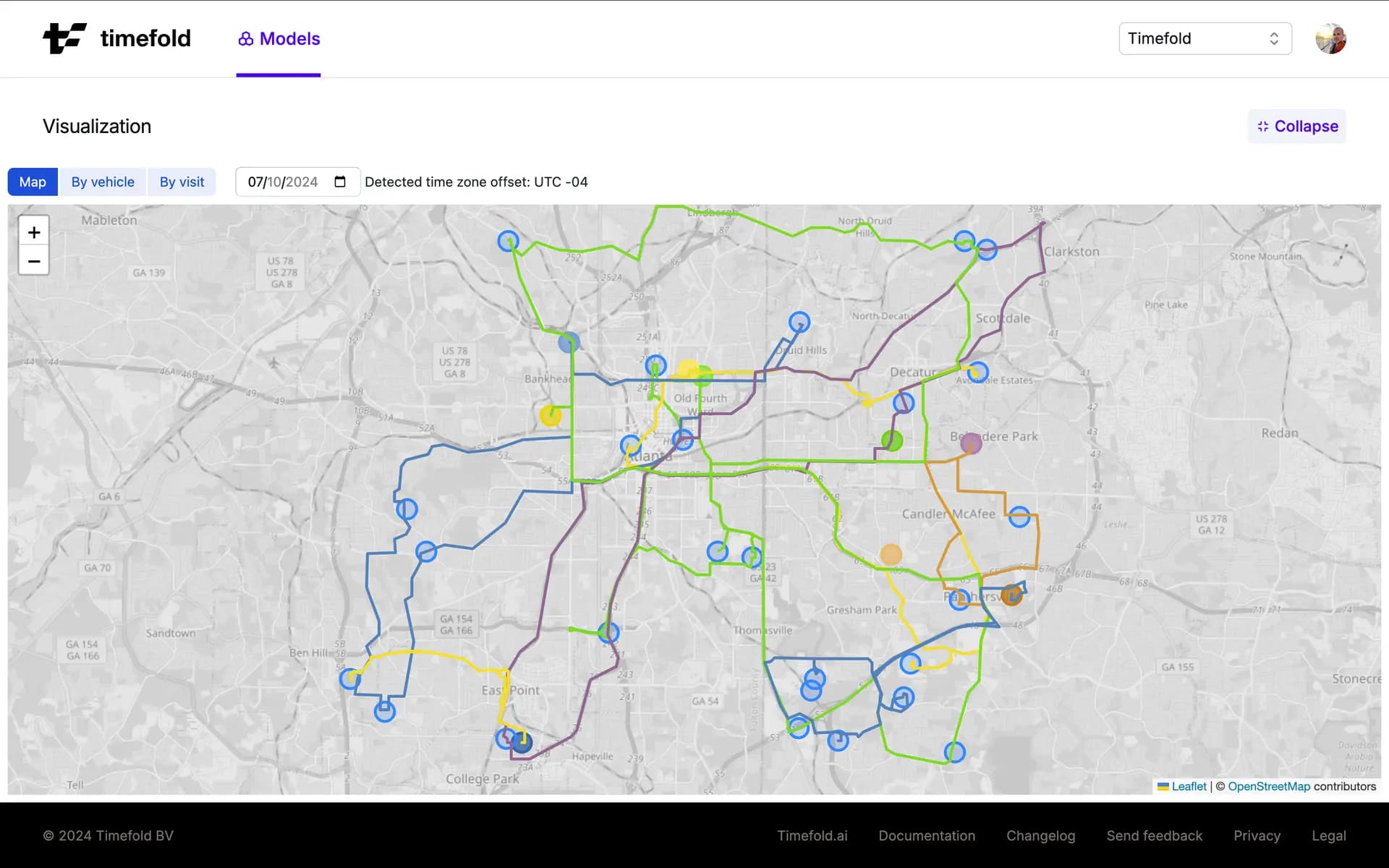
This Timefold Model exposes an API that helps your software to assign customer visits to technicians, and route the technicians to those visits. Our PlanningAI optimizes for increased productivity and reduced travel time.
Service quality
Time windows and opening hours
DOCSStart and complete visits within their time windows. For example to ensure customers are home to open the door.
Skills and affinity
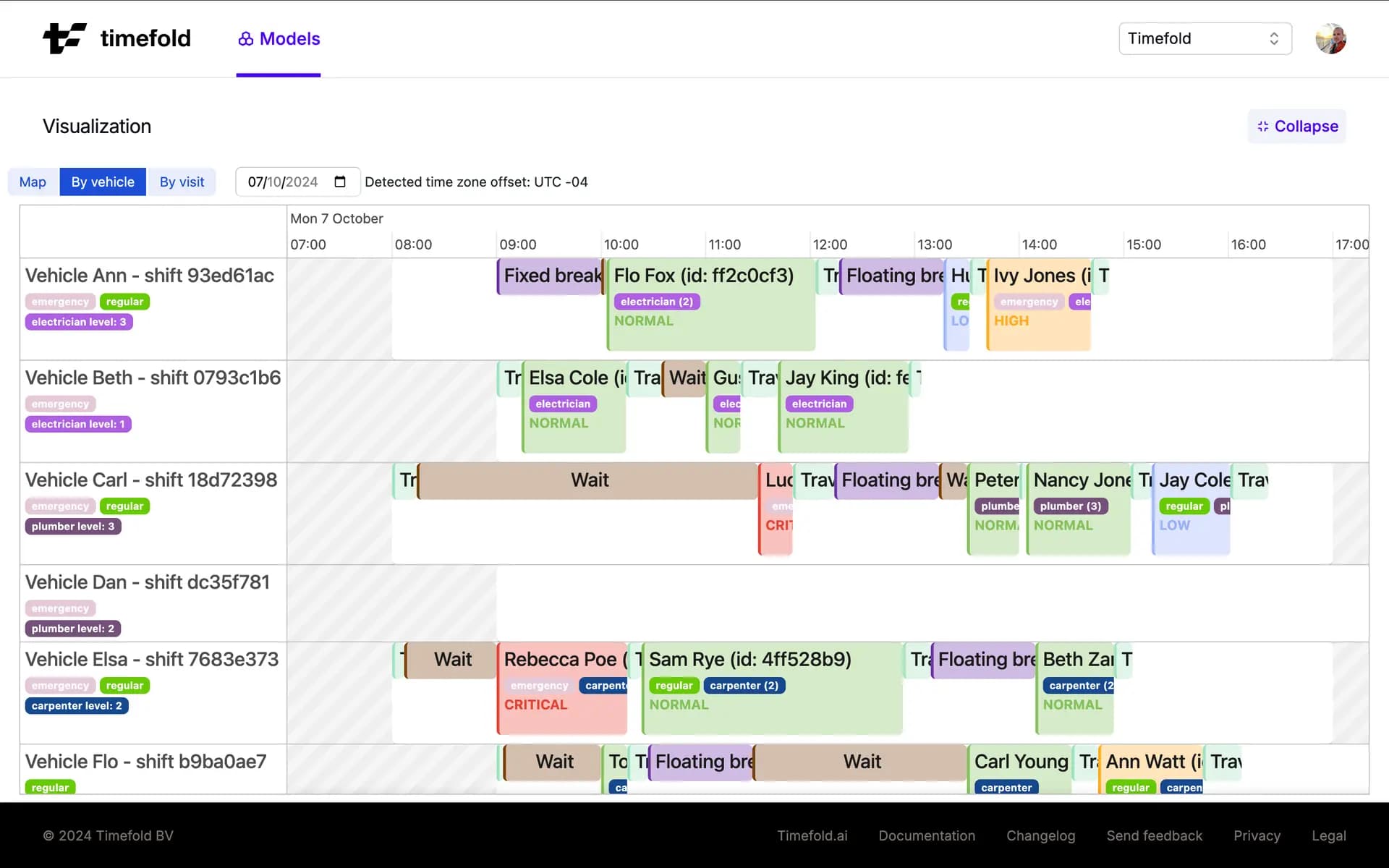
DOCSMatch skill requirements, seniority, and customer affinity to reduce the service duration per task.
Dependencies between visits
DOCSSequence visits in the right order. Potentially with a delay between them. For example to turn off the electricity grid first.
Multi-vehicle visits
DOCSSend multiple technicians to arrive at visits together, for compliance, efficiency or safety, but let them travel independently before and afterwards.
Visit requirements, area affinity and tags
DOCSRequire or prefer technicians for particular visits. Geo-fence technicians. Limit a technician's time per visit type.
Priority visits and optional visits
DOCSWith too few resources for all the work, schedule as much (priority) work as possible.
Movable visits and multi-day schedules
DOCSDelay flexible visits until a technician is in the neighborhood.
Visit service level agreements (SLAs)
DOCSAdd SLAs to visits to ensure they are scheduled on time.
Technician ratings
DOCSAssign the technicians with the highest customer satisfcation ratings to ensure the best outcome for your customers.
Employee satisfaction
Shift hours and overtime
DOCSHonor technicians' working hours. Avoid undesired overtime.
Fairness
DOCSDistribute work fairly across all technicians.
Lunch breaks and personal appointments
DOCSApply breaks for the field service technicians. For example lunch breaks, a dentist appointment, or team meetings.
Cost optimizations
Route optimization
DOCSReduce the travel time and mileage per technician. This increases productivity and reduces CO2 emissions.
Technician costs
DOCSAvoid unnecessary technician costs: Outsource less work. Use cheaper freelancers. Reduce overtime costs.
Visit profit
DOCSPrioritize high profit visits when service demand is high.
Planning processes
Real-time planning
DOCSRespond to changes in the field and adjust the plan in real-time. Timefold supports adjusting the plan to several unexpected scenarios.
Recommendations
DOCSQuickly offer customers time windows when techicians could visit their premises to complete work.
Manual intervention
DOCSPin visits that must be serviced by specific technicians.
Use cases
Field services
DOCSBalance technician skills, travel time, SLAs, and customer preferences to boost efficiency, improve customer experience, and reduce costs.
Home care
DOCSAssign and route caregivers to healthcare clients, ensuring timely care while minimizing travel.
Facility maintenance
DOCSPlan and assign maintenance staff to preventive and corrective jobs across multiple distributed sites.
Pest control
DOCSDispatch licensed technicians to inspections and treatments across residential, commercial, and industrial sites.
Related models

Pick-up and Delivery Routing
If your work is about transporting goods between locations rather than performing tasks on site, the Pick-up and Delivery Routing model is likely a better fit.
Your orders move goods from a pick-up location to a separate delivery location, instead of completing work at a single site.
Each order pairs a pick-up and a drop-off that the same vehicle must handle, in the correct order.
Vehicle capacity and load (weight, volume, item count) matter more than technician skills or service duration.
You plan parcels, freight, or cargo rather than service visits.
Constraints
Dependencies between visits
- Require no mutually exclusive visits assigned
Do not assign mutually exclusive visits.
- Require the same vehicle for dependent visit
Require the same vehicle for dependent visit
- Require the same vehicle shift for dependent visit
Require the same vehicle shift for dependent visit
- Require visit dependency delay
Require the minimum and maximum delay between dependent visits to be respected.
- Require visit dependency dependent assigned
Require a visit's dependent to be scheduled whenever its prerequisite is scheduled.
- Require visit dependency pooling type
Require visits to honour dependency pooling constraints.
- Require visit dependency prerequisite assigned
Require a visit's prerequisite dependency to be scheduled before it.
Fairness
- Balance time utilization
Ensure fairness across technicians' workloads, balancing travel times, wait times, service times, and break times.
Lunch breaks and personal appointments
- Fixed break not delayed (hard)
Avoid delaying a fixed break past its original start time.
- Max floating break end time (hard)
Avoid scheduling a floating break to end later than its allowed limit.
- No conflict with fixed break
Avoid scheduling a visit that overlaps with a fixed break.
- No conflict with fixed location break
Avoid scheduling a visit that overlaps with a fixed break tied to a location.
Multi-day schedules and movable visits
- Balance movable and non-movable visits
Balance movable visit time against the shift's remaining time budget after fixed visits.
- Prefer visits scheduled to the earliest day
Schedules visits to the earliest day possible.
Multi-vehicle visits
- No loops allowed
Avoid a dependency loop among visits.
- No semi-assigned visit groups
Avoid leaving part of a visit group unassigned while the rest of the group is scheduled.
Priority visits and optional visits
- Minimize the visit completion risk
Schedules higher priority visits earlier in the day to avoid the risk of running out of time on the day.
- Prefer scheduling optional visits
Schedules as many optional visits as possible.
- Require scheduling mandatory visits
Require every mandatory visit to be scheduled.
Profit maximization
- Maximize profit
Maximize the profit of scheduled visits.
Replanning
- Keep a pinned visit's start service time
Keep a pinned visit's start service time within its allowed lenient interval.
- Keep a pinned visit's vehicle shift
Keep a pinned visit on its fixed vehicle shift.
- Minimize a pinned visit's start service time allowed delay
Minimize how late a pinned visit starts within its lenient interval.
- Minimize disruption on replanning
Minimize the disruption of original assignments on replanning.
Route optimization
- Max shift service duration (hard)
Limit the time technicians spend servicing visits per shift.
- Max shift service duration (soft)
Limit the time a technician spends servicing visits per shift.
- Max shift travel time (hard)
Limit the time technicians spend traveling per shift.
- Max shift travel time (soft)
Limit the time a technician spends by traveling.
- Max travel time per visit (hard)
Limit the travel time allowed to reach a single visit.
- Max visits per shift (hard)
Limit the number of visits assigned to a shift.
- Max visits per shift (soft)
Limit the number of visits assigned to a shift.
- Minimize travel distance
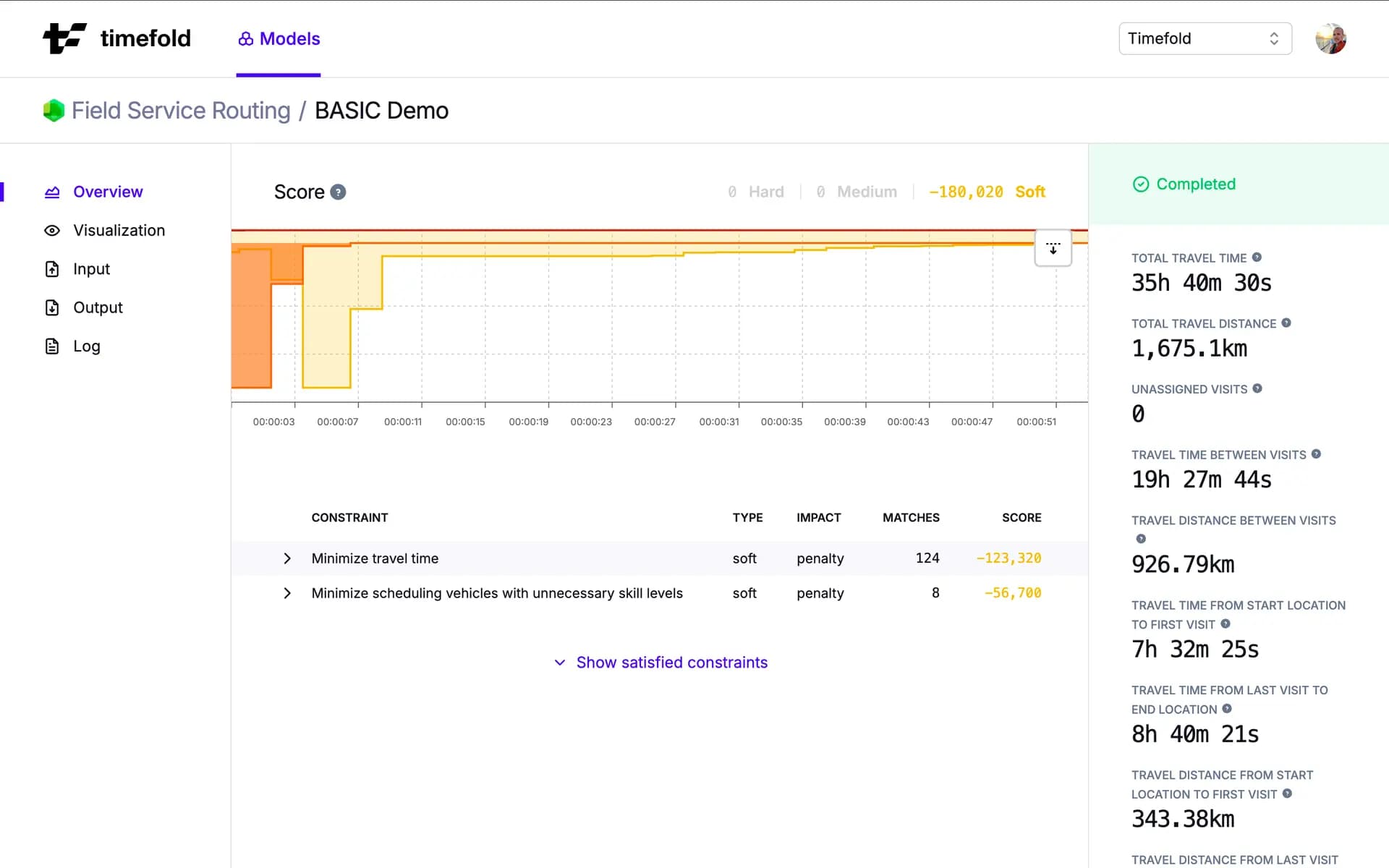
Minimize the distance technicians travel on the road. Note: Only one of minimize travel time / distance is recommended to be active at a time.
- Minimize travel time
Minimize the amount of time technicians spend traveling. Note: Only one of minimize travel time / distance is recommended to be active at a time.
- Minimize waiting time
Minimize the amount of time technicians spend waiting before starting a visit.
- Penalize inactive shift travel distance
Penalize the distance technicians travel on the road on shifts with no visits.
- Penalize inactive shift travel time
Penalize the amount of time technicians spend traveling on shifts with no visits.
- Prefer grouping co-located visits
Minimize the number of unnecessary trips a technician needs to make.
- Prefer grouping visits in the same consecutive group
Prefer scheduling visits of the same group consecutively.
- Prefer moving towards end location
Prefer routes that start furthest from the end location and gradually return to it.
- Require reachable itineraries
Require all itineraries to follow reachable routes.
- Require reachable visits
Require all visits to be on a reachable route.
Service level agreements
- Latest SLA end time
Minimize the number of visits that end after the max SLA end time.
- Prefer scheduling optional visits with tighter SLA
Schedules as many optional visits with tighter SLA as possible.
- Prefer scheduling visits with tight SLAs earlier
Prefer scheduling visits earlier based on their SLA.
- Require scheduling mandatory visits with tighter SLA
Require scheduling mandatory visits with tighter SLA.
Shift hours and overtime
- Avoid overnight stay in local area
Avoid an overnight stay of a linked shift in technician's local area.
- Excludes shifts
Avoid activating two vehicle shifts that are marked as mutually exclusive.
- Max last visit departure time (hard)
Avoid departing from the last visit of a shift later than its allowed limit.
- Max last visit departure time (soft)
Avoid keeping technicians on jobs after the end of their shifts.
- Max shift end time (hard)
Avoid ending a vehicle shift later than its contracted end time.
- Max shift end time (soft)
Minimize the overtime technicians should work.
Skills
- Minimize scheduling vehicles with unnecessary skill levels
Avoid assigning technicians with higher skill levels than are needed for visits.
- Require skills
Require the assigned technician to have the skills a visit needs.
Technician costs
- Minimize shift costs
Minimize technician costs.
Technician coverage area
- Minimize scheduling visits outside the preferred area
Minimize assigning visits outside of the preferred area of a shift.
- No visits outside coverage area
Avoid assigning visits outside of the coverage area of a shift.
Technician rating
- Maximize technician rating
Maximize the technician rating of the visit.
Time windows and opening hours
- Preferred visit time window
Assign the preferred time windows to visits.
- Require service max end time
Avoid finishing a visit's service after its allowed time window.
- Require service max start time
Avoid starting a visit's service after its allowed time window.
Visit requirements and tags
- Prefer visit vehicle match preferred vehicles
Assign the preferred vehicles specified for visits.
- Require tags
Require the assigned vehicle or technician to carry the tags a visit needs.
- Require visit vehicle match required vehicles
Require a visit to be served by one of its explicitly required vehicles.
- Require visit vehicle not match prohibited vehicles
Avoid assigning a visit to one of its explicitly prohibited vehicles.
Interested in learning more about how this model can help solve your optimization challenges? Talk to an expert.